Picking the right plan from the start saves you time, money, and headaches - whether you’re buying a VPS with Bitcoin for a side project or a production app. This guide walks you through the key factors so you can make a confident decision.
1. Understand Your Workload
Before comparing plans, ask yourself:
- What will the server run? A simple blog, a web app, a game server, and a VPN all have very different resource needs.
- How much traffic do you expect? A personal project is very different from a business site with hundreds of daily visitors.
- Does it need to run 24/7? Most cloud servers do, but knowing this upfront helps you budget correctly.
2. Key Specs Explained
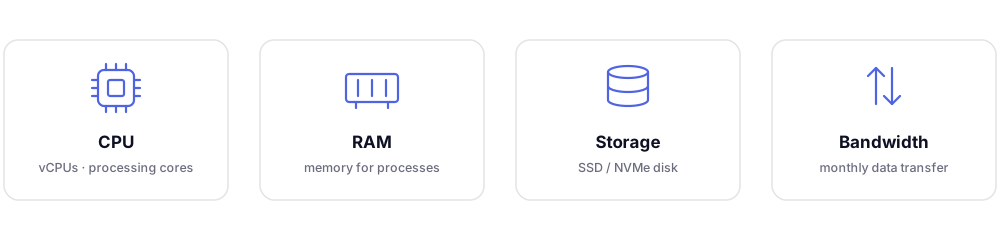
CPU (vCPUs)
The number of virtual CPU cores. More cores = better performance for tasks that run in parallel (e.g., web servers handling many requests, game servers).
- 1–2 vCPUs – Personal projects, small blogs, VPNs, bots
- 2–4 vCPUs – Small business sites, lightweight apps, dev environments
- 4+ vCPUs – High-traffic apps, game servers, AI workloads
RAM (Memory)
RAM determines how many processes your server can handle simultaneously.
- 1–2 GB – Static websites, simple scripts, personal VPN
- 2–4 GB – WordPress, small databases, lightweight APIs
- 8 GB+ – E-commerce, Docker containers, self-hosted apps like Nextcloud
Storage (SSD/NVMe)
Cloud servers typically use SSD or NVMe storage for fast read/write speeds.
- 20–50 GB – OS + small app with minimal data
- 100–200 GB – Media-heavy websites, databases, file storage
- 200 GB+ – Backups, large databases, self-hosted cloud storage
Bandwidth / Transfer
This is the amount of data your server can send and receive per month.
- Most small sites use under 1 TB/month
- Video streaming or large file transfers can use much more
- Check whether overage is charged or if the connection is simply throttled
3. Common Use Cases & Recommended Plans
| Use Case | vCPUs | RAM | Storage |
|---|---|---|---|
| Personal blog / static site | 1 | 1 GB | 25 GB |
| WordPress site | 1–2 | 2 GB | 50 GB |
| VPN server | 1 | 1 GB | 20 GB |
| Game server (e.g. Minecraft) | 2–4 | 4–8 GB | 50 GB |
| Node.js / Python web app | 2 | 2–4 GB | 50 GB |
| E-commerce store | 2–4 | 4–8 GB | 100 GB |
| Self-hosted file storage | 2 | 4 GB | 200 GB+ |
4. Start Small, Scale Later
If you're unsure, start with a smaller plan. Cloud servers can be upgraded (scaled up) as your needs grow. It's much easier to scale up than to over-provision from day one and overpay.
Ready to pick? Compare live specs and hourly rates on the pricing page, then deploy your first server.
Questions? Email us at [email protected] - we reply in under 2 hours, 7 days a week.